tuxler VPN extension(2026)

Learn what the Tuxler VPN extension does, what it requires, and how to assess its privacy and browser-traffic limitations.
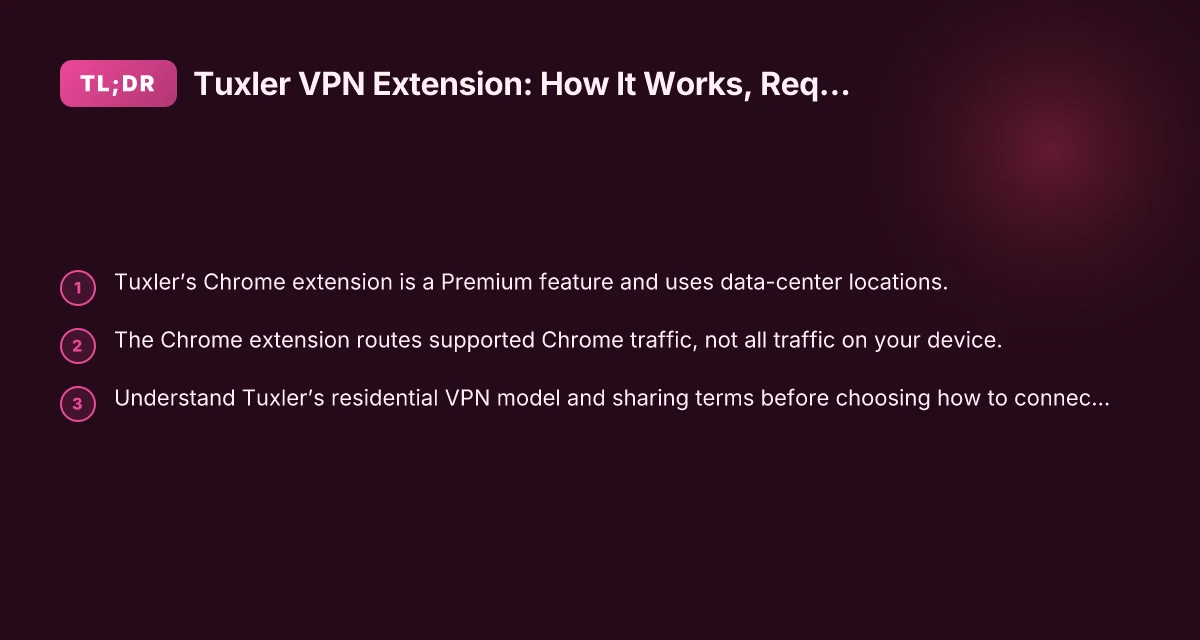
The Tuxler VPN extension is a browser add-on for connecting through Tuxler’s VPN network. The Chrome version requires a Premium subscription, uses data-center locations, and protects supported Chrome traffic rather than every app on your device. If you want the standard residential VPN experience, Tuxler says you need its Windows desktop app. These distinctions matter when choosing a version and deciding whether it suits your privacy needs.
Compare browser-extension VPNs with other privacy options
| Option | Changes IP location | Covers non-browser apps | Setup effort | Best suited for |
|---|---|---|---|---|
| Tuxler VPN extension | Yes, through residential IPs | No, browser traffic only | Install extension and connect | Browser-based location changes |
| Other VPN browser extension | Usually | No, browser traffic only | Install extension and connect | Protecting or routing browser traffic |
| Desktop VPN app | Yes | Yes, device-wide traffic | Install app and connect | Routing traffic from multiple apps |
| Proxy configured in browser | Yes, depending on proxy | No, browser traffic only | Enter proxy details | Manual browser-only routing |
| Tor Browser | Yes, through the Tor network | No, Tor Browser traffic | Install and use Tor Browser | Browsing through multiple relays |
| No VPN or proxy | No | Not applicable | None | Unchanged network routing |
Compiled November 2026; check the provider's site for current details.
| VPN | Obfuscation | From / month | Plan | Free plan | Refund | Alipay | UnionPay | Crypto | Website opens in China | Trustpilot | |
|---|---|---|---|---|---|---|---|---|---|---|---|
 ZoogVPN | Turn on manually Shadow | $2.49/mo | 27 months: $59.99 | Yes | 7 days | ✓ | ✓ | ✓ | ✓ | Official site blocked; our special link opens (4.4 s) | 4.2/5 (195 reviews) |
 NordVPN | Turn on manually Obfuscated Servers / NordWhisper | $3.49/mo | 27 months: $94.23 | No | 30 days | ? | ✗ | ✓ | ✓ | ✗ Blocked | 4.2/5 (51,628 reviews) |
 ExpressVPN | ✓ On by default all servers | $3.00/mo | 28 months: $84 | No | 30 days | ✗ | ✗ | ✓ | ✗ | ✗ Blocked | 4.4/5 (29,706 reviews) |
 Surfshark | ✓ On by default Camouflage, with OpenVPN | See site | See site | No | 30 days | ✗ | ✗ | ✗ | ✓ | ✗ Blocked | 4.3/5 (31,823 reviews) |
 Proton VPN | Turn on manually Stealth, free plan too | $2.99/mo | 12 months: $35.88 | Yes | 30 days | ✗ | ✗ | ✗ | ✓ | ✗ Blocked | 2.1/5 (1,040 reviews) |
 Astrill VPN | Turn on manually StealthVPN / OpenWeb | $12.50/mo | 24 months: $300 | No | See site | ✗ | ✗ | ✗ | ✓ | ✗ Blocked | 1.3/5 (110 reviews) |
 Private Internet Access | Turn on manually Shadowsocks, OpenVPN only | $2.03/mo | 40 months: $81.2 | No | 30 days | ✗ | ✗ | ✗ | ✗ | ✗ Blocked | 4.2/5 (11,033 reviews) |
 CyberGhost | Turn on manually selected servers | $2.19/mo | 28 months: $61.32 | No | 45 days | ✗ | ✗ | ✗ | ✓ | ✗ Blocked | 4.0/5 (24,178 reviews) |
 PureVPN | Turn on manually switch to OpenVPN | $1.69/mo | 60 months: $101.55 | No | 31 days | ? | ? | ✗ | ✓ | ✗ Blocked | 4.4/5 (17,994 reviews) |
 AdGuard VPN | ✓ On by default TrustTunnel | $2.99/mo | 24 months: $71.76 | Yes | 30 days | ✓ | ✗ | ✓ | ✓ | Official site blocked; our special link opens (3.7 s) | 4.3/5 (290 reviews) |
 Mullvad | Turn on manually QUIC / Shadowsocks / LWO | $5.61/mo | €5/mo | No | 14 days | ✗ | ✗ | ✗ | ✓ | ✗ Blocked | 3.2/5 (192 reviews) |
 Windscribe | Turn on manually Stealth / WStunnel | $5.75/mo | 12 months: $69 | Yes | See site | ✗ | ✗ | ✗ | ✓ | ✗ Blocked | 4.7/5 (13,355 reviews) |
 StrongVPN | Turn on manually Scramble, OpenVPN TCP | See site | See site | No | 30 days | ✓ | ✗ | ✗ | ✗ | ✗ Blocked | 4.4/5 (2,695 reviews) |
 LightXtreme 闪连 | Not listed | $7.08/mo | 12 months: $84.99 | Yes | 30 days | ✓ | ✓ | ✓ | ✓ | ✓ Yes (3.5 s) | No page |
Prices checked 2026-11-10 on each vendor's pricing page (cheapest long plan, USD). Check the vendor's checkout for the final price.
Obfuscation checked 2026-11-14 on each vendor's site and help center: "on by default" = nothing to set; "turn on manually" = switch protocol or mode in settings; "not listed" = the vendor describes no obfuscation.
Payment methods checked 2026-11-10 on each vendor's payment pages: all 14 take cards and PayPal; ✗ = not listed, ? = the vendor's own pages disagree.
China access: whether the official website opens from mainland China networks (tests the website only, not the VPN connection). Last checked 2026-11-18 01:02 Beijing time.
Trustpilot score and review count checked 2026-11-10.
What is the Tuxler VPN extension?
Tuxler is a VPN service that describes its network as residential and community-powered, with locations available across supported countries. Its Chrome Web Store listing promotes a wide choice of worldwide locations. However, the Chrome extension’s connection type is specifically described by Tuxler as a data-center connection.
That means the extension should not automatically be treated as equivalent to Tuxler’s residential VPN service. The residential network and the browser extension have different requirements and connection details.
In practical terms, the extension is intended for supported activity within Chrome. It is not a replacement for a device-wide VPN that routes all internet traffic from your computer.
Requirements and traffic coverage
Tuxler’s published download information distinguishes its browser extensions from the standard desktop experience: ipsec VPN(2026)
- Chrome: Tuxler says the extension requires an active Premium subscription and connects through supported data-center locations.
- Firefox: Tuxler also lists an active Premium subscription as a requirement and describes supported data-center connections.
- Standard residential version: Tuxler says the standard version requires the Windows desktop app.
The Chrome installation guide also states that the extension routes supported Chrome traffic only. Other browsers and applications on your device are not covered just because the extension is enabled.
| Option | Subscription or app requirement | Connection described by Tuxler | Traffic scope |
|---|---|---|---|
| Chrome extension | Premium subscription | Supported data-center locations | Supported Chrome traffic |
| Firefox extension | Premium subscription | Supported data-center locations | Browser extension traffic |
| Standard version | Windows desktop app | Residential VPN service | Depends on the desktop app setup |
Check Tuxler’s current setup instructions before installing, since supported locations and product requirements can change.
Check requirements and traffic coverage before choosing
| Check | Tuxler extension | What to verify | Why it matters |
|---|---|---|---|
| Browser support | Requires a compatible browser | Confirm your browser is supported | The extension must be installable |
| Extension installation | Required | Check access to the browser’s extension store | Installation may be restricted |
| Account or sign-in | Check current requirements | Review the extension’s setup prompts | Access may depend on an account |
| Browser traffic | Routed through the extension when active | Test the sites and tabs you use | Coverage may be limited to the browser |
| Other applications | Not covered by a browser extension | Use a device-wide VPN if needed | Desktop apps may use your regular connection |
| Location selection | Depends on available residential locations | Check available locations in the extension | A preferred location may not be offered |
| Connection status | Confirm before browsing | Look for an active connection indicator | An inactive extension may not route traffic |
| Network restrictions | May affect installation or use | Check workplace, school, or device policies | Managed devices can block extensions |
Compiled November 2026; check the provider's site for current details. urban VPN extension for edge(2026)
How to install and use it
To get started, use Tuxler’s official download page or find the listing in the relevant browser’s extension store. Confirm that the publisher and extension name match the official Tuxler product before installing.
A sensible setup process is:
- Review the extension’s permissions and the service’s privacy and usage terms.
- Confirm that you have the Premium subscription required for the browser extension.
- Install the extension from the official source.
- Sign in or follow Tuxler’s connection instructions.
- Select a location that is available for your account and test the sites you intend to use.
- Check whether your browser is connected and remember that other apps may still use your regular connection.
If you specifically want Tuxler’s standard residential VPN, follow its instructions for the Windows desktop app instead of assuming the Chrome extension provides the same connection type.
Privacy and residential-network considerations
The phrase “residential VPN” can raise an important question: how does the provider obtain and use residential connections? A Reddit post about Tuxler raises concern that users’ IP addresses may be made available to other users. That post is an individual report, not independent confirmation of how the service currently operates or what its terms permit. urban VPN proxy(2026)
Before using any community-powered VPN, read the provider’s current privacy policy and terms. Look for clear explanations of:
- Whether your connection or IP address can be shared with other users
- What information the service collects and retains
- How traffic is handled and what protections apply
- How to opt out, disconnect, or delete your account
- What activities are prohibited on the network
Do not assume that an extension is risk-free simply because it is listed in a browser store. A VPN changes how traffic is routed, so trust in the provider and understanding the product’s limits are essential. Avoid sending sensitive information through a service until you are comfortable with its policies and have verified that the connection is active.
Decide whether Tuxler’s residential-network approach fits your needs
| Consideration | Potential benefit | Trade-off or question | Decision cue |
|---|---|---|---|
| Residential IP addresses | Sites may see an IP associated with a residential network | Availability and location options can vary | Useful when residential IPs are the goal |
| Browser-only coverage | Simple, browser-focused setup | Other apps are not routed by the extension | Choose a desktop VPN for device-wide coverage |
| Privacy expectations | Can change the IP address sites see | An IP change does not guarantee anonymity | Review the current privacy policy |
| Residential network participation | May provide access to residential IPs | Understand any sharing or network participation terms | Read the terms before enabling it |
| Connection reliability | May suit routine browser use | Residential routing can behave differently from a standard VPN server | Test the sites you rely on |
| Sensitive activities | Adds another routing layer | Do not assume it replaces secure account practices | Use caution with sensitive browsing |
| Installation source | Browser stores provide a familiar route | Verify the publisher and requested permissions | Install only from a trusted source |
| Overall fit | Convenient for browser location changes | Not ideal for every privacy or coverage need | Compare against a full-device VPN or no tool |
Compiled November 2026; check the provider's site for current details. VPN microsoft edge(2026)
Is the Tuxler VPN extension right for you?
The extension may suit someone who already has Premium and wants a Tuxler connection within a supported browser. It is less suitable if you expect a free, device-wide VPN or assume the Chrome extension will provide the same residential connection as the Windows desktop app.
Consider these points before deciding:
- Choose the extension if browser-level coverage and its supported data-center locations meet your needs.
- Choose the desktop-app route if you want to use Tuxler’s standard residential version on Windows.
- Compare the product’s privacy terms with your expectations before joining a community-powered network.
- Test coverage carefully if you need protection for apps beyond your browser.
Recommendation
The Tuxler VPN extension is best understood as a Premium browser connection, not a general-purpose VPN for your whole device. Confirm its data-center connection type, browser-only scope, and current privacy terms before installing. If you want Tuxler’s standard residential experience, use the Windows desktop app and follow the provider’s setup guidance.
顾远舟核对付费VPN的长期价格、退款天数和支付宝付款。