FortiClient VPN Windows 11: Setup, Connection, and Troubleshooting

Learn how to set up FortiClient VPN on Windows 11 and fix common installation and connection issues.
FortiClient VPN on Windows 11 lets you connect to an organization’s network using settings supplied by its IT team. Install the appropriate FortiClient version, create or select the VPN profile, enter the server and login details, then connect. If the app will not install or connect, check the basics first: compatibility, service status, network access, and authentication settings.
Choose the right FortiClient VPN setup path
| Setup option | Best for | What you need | Main steps | When to choose |
|---|---|---|---|---|
| IT-provided installer | Company-managed devices | Installer from IT | Run installer and follow prompts | IT requires a specific version |
| Fortinet download | Personal setup, if permitted | Official Fortinet download | Download and run the installer | Your organization allows direct downloads |
| Microsoft Store | Store-based installation, if available | Microsoft Store access | Find and install the app | Your organization approves this version |
| Existing installation | Updating or repairing | Installed FortiClient | Open the app and check for updates | The app is already on the PC |
| IT-assisted setup | Unclear requirements | Help from your administrator | Ask for the approved installer and settings | You do not have setup details |
| Managed deployment | Organization-managed PC | Company software tools | Use the deployment instructions | IT installs apps remotely |
Compiled November 2026; check the provider's site for current details.
| VPN | Obfuscation | From / month | Plan | Free plan | Refund | Alipay | UnionPay | Crypto | Website opens in China | Trustpilot | |
|---|---|---|---|---|---|---|---|---|---|---|---|
 ZoogVPN | Turn on manually Shadow | $2.49/mo | 27 months: $59.99 | Yes | 7 days | ✓ | ✓ | ✓ | ✓ | Official site blocked; our special link opens (4.4 s) | 4.2/5 (195 reviews) |
 NordVPN | Turn on manually Obfuscated Servers / NordWhisper | $3.49/mo | 27 months: $94.23 | No | 30 days | ? | ✗ | ✓ | ✓ | ✗ Blocked | 4.2/5 (51,628 reviews) |
 ExpressVPN | ✓ On by default all servers | $3.00/mo | 28 months: $84 | No | 30 days | ✗ | ✗ | ✓ | ✗ | ✗ Blocked | 4.4/5 (29,706 reviews) |
 Surfshark | ✓ On by default Camouflage, with OpenVPN | See site | See site | No | 30 days | ✗ | ✗ | ✗ | ✓ | ✗ Blocked | 4.3/5 (31,823 reviews) |
 Proton VPN | Turn on manually Stealth, free plan too | $2.99/mo | 12 months: $35.88 | Yes | 30 days | ✗ | ✗ | ✗ | ✓ | ✗ Blocked | 2.1/5 (1,040 reviews) |
 Astrill VPN | Turn on manually StealthVPN / OpenWeb | $12.50/mo | 24 months: $300 | No | See site | ✗ | ✗ | ✗ | ✓ | ✗ Blocked | 1.3/5 (110 reviews) |
 Private Internet Access | Turn on manually Shadowsocks, OpenVPN only | $2.03/mo | 40 months: $81.2 | No | 30 days | ✗ | ✗ | ✗ | ✗ | ✗ Blocked | 4.2/5 (11,033 reviews) |
 CyberGhost | Turn on manually selected servers | $2.19/mo | 28 months: $61.32 | No | 45 days | ✗ | ✗ | ✗ | ✓ | ✗ Blocked | 4.0/5 (24,178 reviews) |
 PureVPN | Turn on manually switch to OpenVPN | $1.69/mo | 60 months: $101.55 | No | 31 days | ? | ? | ✗ | ✓ | ✗ Blocked | 4.4/5 (17,994 reviews) |
 AdGuard VPN | ✓ On by default TrustTunnel | $2.99/mo | 24 months: $71.76 | Yes | 30 days | ✓ | ✗ | ✓ | ✓ | Official site blocked; our special link opens (3.7 s) | 4.3/5 (290 reviews) |
 Mullvad | Turn on manually QUIC / Shadowsocks / LWO | $5.61/mo | €5/mo | No | 14 days | ✗ | ✗ | ✗ | ✓ | ✗ Blocked | 3.2/5 (192 reviews) |
 Windscribe | Turn on manually Stealth / WStunnel | $5.75/mo | 12 months: $69 | Yes | See site | ✗ | ✗ | ✗ | ✓ | ✗ Blocked | 4.7/5 (13,355 reviews) |
 StrongVPN | Turn on manually Scramble, OpenVPN TCP | See site | See site | No | 30 days | ✓ | ✗ | ✗ | ✗ | ✗ Blocked | 4.4/5 (2,695 reviews) |
 LightXtreme 闪连 | Not listed | $7.08/mo | 12 months: $84.99 | Yes | 30 days | ✓ | ✓ | ✓ | ✓ | ✓ Yes (3.5 s) | No page |
Prices checked 2026-11-10 on each vendor's pricing page (cheapest long plan, USD). Check the vendor's checkout for the final price.
Obfuscation checked 2026-11-14 on each vendor's site and help center: "on by default" = nothing to set; "turn on manually" = switch protocol or mode in settings; "not listed" = the vendor describes no obfuscation.
Payment methods checked 2026-11-10 on each vendor's payment pages: all 14 take cards and PayPal; ✗ = not listed, ? = the vendor's own pages disagree.
China access: whether the official website opens from mainland China networks (tests the website only, not the VPN connection). Last checked 2026-11-18 01:02 Beijing time.
Trustpilot score and review count checked 2026-11-10.
What FortiClient VPN does
FortiClient is Fortinet’s endpoint security application. FortiClient VPN is the VPN-focused option for users who need a secure connection to a workplace or other organization. Whether you need the VPN-only client or a broader FortiClient package depends on your organization’s setup.
| Option | Typical purpose |
|---|---|
| FortiClient VPN | Connects to a configured VPN, such as a work VPN |
| FortiClient with additional security features | Provides VPN access alongside other endpoint management or security capabilities, depending on the organization’s deployment |
The VPN client does not supply the connection details or grant access by itself. Your organization must provide the VPN type, server address, authentication method, and any required sign-in or multi-factor instructions. Ask your IT team which installer and settings to use, particularly if your device is managed.
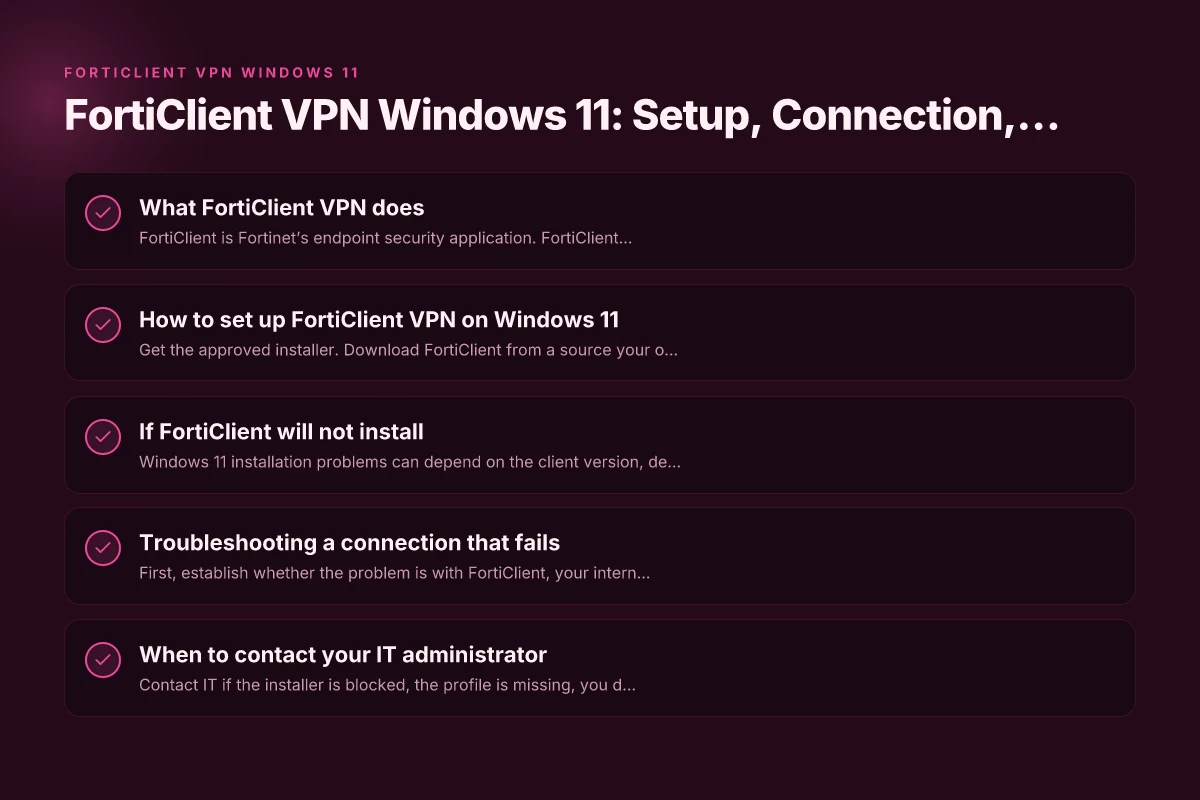
How to set up FortiClient VPN on Windows 11
- Get the approved installer. Download FortiClient from a source your organization or Fortinet recommends. Use the version specified by your IT administrator rather than relying on an older installer you already have.
- Install the application. Run the installer and follow the prompts. If installation is blocked, check whether your account has permission to install software or whether your organization manages installations.
- Create a VPN profile. Open FortiClient and choose the VPN setup option. Select the connection type your organization uses, such as SSL-VPN or IPsec VPN.
- Enter the connection details. Add the server address and any other settings supplied by IT. Labels and screens can differ between FortiClient versions.
- Save and connect. Select the profile, enter your credentials when prompted, complete any required authentication, and wait for the connection status to indicate success.
Avoid guessing at server names, ports, certificates, or advanced settings. Incorrect values can prevent a connection or create unnecessary security risks. If your organization uses single sign-on (SSO), follow its instructions for browser-based authentication.
Diagnose a FortiClient VPN connection problem VPN for Edge: How to Choose and Use One
| What you notice | Check first | Try next | Likely help needed | Contact IT when |
|---|---|---|---|---|
| VPN will not connect | Internet access | Recheck the VPN entry | Server or account details | Server details are missing |
| Login is rejected | Username and password | Retry carefully | Account status | Credentials still fail |
| Connection times out | Network connection | Try another permitted network | VPN gateway status | Timeout persists |
| VPN entry is missing | FortiClient settings | Add the approved connection | Server address and settings | You do not have these details |
| App will not open | Windows restart | Reopen FortiClient | Installation or device policy | The app remains unusable |
| Connection drops | Network stability | Reconnect once | Gateway or policy issue | Disconnects continue |
| Installation is blocked | Windows permissions | Use the approved installer | Administrator access | Installation requires elevated rights |
Compiled November 2026; check the provider's site for current details.
If FortiClient will not install
Windows 11 installation problems can depend on the client version, device, installer, or organization policy. Users have reported installation difficulties on Windows 11 Pro 24H2 and on some Surface devices, but those reports do not establish one fix that works for every computer.
Try these checks:
- Confirm that you have the installer intended for your device and Windows environment.
- Download a fresh copy from the approved source if the installer may be incomplete.
- Restart Windows and try the installation again.
- Check whether another FortiClient version is already installed. Don’t remove a managed client without asking IT.
- If Windows displays a security or permissions prompt, confirm with your administrator before bypassing it.
- Share the exact error message, Windows version, device model, and FortiClient version with IT support.
A version that worked on another Windows installation may not behave the same way on yours. Your organization’s IT team can confirm which release it supports and whether a device-specific issue is known. Chrome Urban VPN: How to Install, Use, and Assess the Extension
Troubleshooting a connection that fails
First, establish whether the problem is with FortiClient, your internet connection, or the VPN service. Test ordinary internet access, confirm that you have the correct profile selected, and check that your username and authentication method are current.
If the VPN still fails, work through these steps:
- Restart FortiClient and Windows. A restart can clear a temporary client or system issue.
- Check the FortiClient Scheduler service. Open the Windows Services panel, find the FortiClient Scheduler service, and check whether it is running. Restarting it has helped some users, though it is not a guaranteed fix.
- Review the network adapter. A disabled, malfunctioning, or conflicting network adapter may affect VPN connectivity. If you are unsure what to change, ask IT rather than removing or resetting adapters.
- Check credentials and authentication. Re-enter your details carefully and complete any required multi-factor or SSO prompt. If your account is locked or access has changed, only your organization can resolve it.
- Confirm the VPN configuration. Compare the profile against the values supplied by IT, including the connection type and server address.
- Note the error. Record the exact message and when it appears, for example, before login, during authentication, or after the connection starts.
For SAML-based IPsec connections, a setting to use an external browser for SAML user authentication has been suggested for a particular FortiClient and Windows setup. This setting may not apply to your configuration. Ask your IT administrator whether it is appropriate before changing it.
Decide what to do when FortiClient will not install Free VPN That Lets You Choose Location: What to Know
| Situation | First action | Avoid | May require | Next step |
|---|---|---|---|---|
| Installer will not start | Re-download from an approved source | Unofficial downloads | A working installer | Ask IT for the approved file |
| Windows requests permission | Check whether you have admin rights | Bypassing device controls | Administrator approval | Contact IT |
| Installation is blocked by policy | Confirm the device is managed | Changing security settings | IT authorization | Request deployment help |
| Setup fails partway through | Restart Windows and retry | Repeated rapid retries | Installer troubleshooting | Share the error with IT |
| An older version is present | Ask whether it should be removed | Unapproved removal | IT guidance | Follow the organization’s instructions |
| App installs but will not connect | Check the VPN profile | Reinstalling immediately | Connection settings | Ask IT to verify the profile |
| You are unsure which version to use | Check company instructions | Guessing between versions | Approved version details | Request the correct installer |
Compiled November 2026; check the provider's site for current details.
When to contact your IT administrator
Contact IT if the installer is blocked, the profile is missing, you do not know the VPN server or connection type, or the error continues after basic checks. Also ask for help before changing certificates, firewall rules, authentication options, or Windows network settings.
Include useful details in your support request:
- Windows 11 edition and version
- FortiClient version
- VPN type and profile name, if known
- The exact error message or a screenshot
- Whether other internet services work
- What you tried and whether the issue began after an update or configuration change
This information helps support distinguish a local device problem from an account, configuration, or VPN gateway issue. NordVPN Windows 10 VPN: How to Install and Use It
Recommendation
For FortiClient VPN on Windows 11, start with your organization’s approved installer and configuration rather than a generic setup. If a connection fails, check internet access, the FortiClient Scheduler service, and the network adapter, then send the error details to IT. Use organization-specific guidance for authentication and advanced settings.
顾远舟核对付费VPN的长期价格、退款天数和支付宝付款。