Best Free VPN Extension for Edge: Top Options and What to Check
Compare free VPN extensions for Edge, understand their limits, and choose one that fits your privacy and browsing needs.
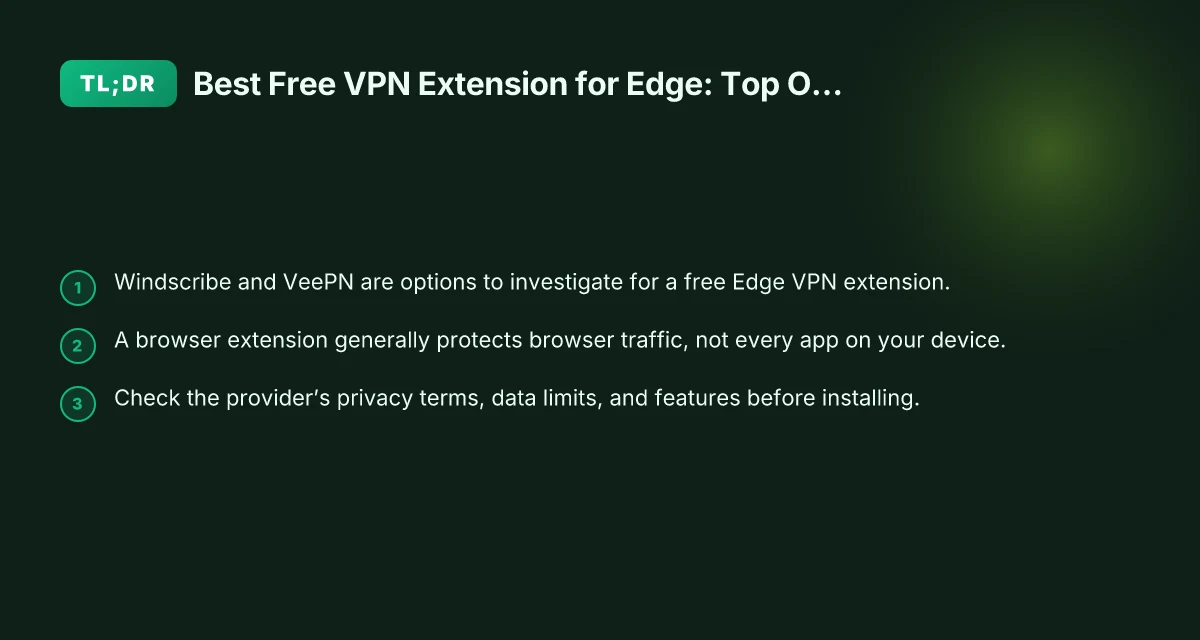
If you’re looking for the best free VPN extension for Edge, start by comparing Windscribe and VeePN, then check whether their current free plans suit your needs. Both offer Edge add-ons, while ZenMate also advertises an Edge VPN extension. “Free,” however, does not guarantee unlimited data, the same features as a paid plan, or protection for your entire device. Review the provider’s terms and install extensions only from a source you trust.
Compare free VPN extension options for Edge
| Option | Free access | Browser traffic coverage | Server choice | Best for |
|---|---|---|---|---|
| Proton VPN | Free plan available | Edge browser traffic | Limited on free plan | Privacy-focused browsing |
| Windscribe | Free plan available | Edge browser traffic | Limited on free plan | Flexible settings |
| TunnelBear | Free plan available | Edge browser traffic | Limited on free plan | Simple setup |
| Hide.me | Free plan available | Edge browser traffic | Limited on free plan | Straightforward protection |
| Browsec | Free extension available | Edge browser traffic | Limited on free plan | Quick browser switching |
| Setup VPN | Free extension available | Edge browser traffic | Limited on free plan | Basic browser use |
Compiled November 2026; check the provider's site for current details.
| VPN | Obfuscation | From / month | Plan | Free plan | Refund | Alipay | UnionPay | Crypto | Website opens in China | Trustpilot | |
|---|---|---|---|---|---|---|---|---|---|---|---|
 Windscribe | Turn on manually Stealth / WStunnel | $5.75/mo | 12 months: $69 | Yes | See site | ✗ | ✗ | ✗ | ✓ | ✗ Blocked | 4.7/5 (13,355 reviews) |
 Proton VPN | Turn on manually Stealth, free plan too | $2.99/mo | 12 months: $35.88 | Yes | 30 days | ✗ | ✗ | ✗ | ✓ | ✗ Blocked | 2.1/5 (1,040 reviews) |
 ZoogVPN | Turn on manually Shadow | $2.49/mo | 27 months: $59.99 | Yes | 7 days | ✓ | ✓ | ✓ | ✓ | Official site blocked; our special link opens (4.4 s) | 4.2/5 (195 reviews) |
 NordVPN | Turn on manually Obfuscated Servers / NordWhisper | $3.49/mo | 27 months: $94.23 | No | 30 days | ? | ✗ | ✓ | ✓ | ✗ Blocked | 4.2/5 (51,628 reviews) |
 ExpressVPN | ✓ On by default all servers | $3.00/mo | 28 months: $84 | No | 30 days | ✗ | ✗ | ✓ | ✗ | ✗ Blocked | 4.4/5 (29,706 reviews) |
 Surfshark | ✓ On by default Camouflage, with OpenVPN | See site | See site | No | 30 days | ✗ | ✗ | ✗ | ✓ | ✗ Blocked | 4.3/5 (31,823 reviews) |
 Astrill VPN | Turn on manually StealthVPN / OpenWeb | $12.50/mo | 24 months: $300 | No | See site | ✗ | ✗ | ✗ | ✓ | ✗ Blocked | 1.3/5 (110 reviews) |
 Private Internet Access | Turn on manually Shadowsocks, OpenVPN only | $2.03/mo | 40 months: $81.2 | No | 30 days | ✗ | ✗ | ✗ | ✗ | ✗ Blocked | 4.2/5 (11,033 reviews) |
 CyberGhost | Turn on manually selected servers | $2.19/mo | 28 months: $61.32 | No | 45 days | ✗ | ✗ | ✗ | ✓ | ✗ Blocked | 4.0/5 (24,178 reviews) |
 PureVPN | Turn on manually switch to OpenVPN | $1.69/mo | 60 months: $101.55 | No | 31 days | ? | ? | ✗ | ✓ | ✗ Blocked | 4.4/5 (17,994 reviews) |
 AdGuard VPN | ✓ On by default TrustTunnel | $2.99/mo | 24 months: $71.76 | Yes | 30 days | ✓ | ✗ | ✓ | ✓ | Official site blocked; our special link opens (3.7 s) | 4.3/5 (290 reviews) |
 Mullvad | Turn on manually QUIC / Shadowsocks / LWO | $5.61/mo | €5/mo | No | 14 days | ✗ | ✗ | ✗ | ✓ | ✗ Blocked | 3.2/5 (192 reviews) |
 StrongVPN | Turn on manually Scramble, OpenVPN TCP | See site | See site | No | 30 days | ✓ | ✗ | ✗ | ✗ | ✗ Blocked | 4.4/5 (2,695 reviews) |
 LightXtreme 闪连 | Not listed | $7.08/mo | 12 months: $84.99 | Yes | 30 days | ✓ | ✓ | ✓ | ✓ | ✓ Yes (3.5 s) | No page |
Prices checked 2026-11-10 on each vendor's pricing page (cheapest long plan, USD). Check the vendor's checkout for the final price.
Obfuscation checked 2026-11-14 on each vendor's site and help center: "on by default" = nothing to set; "turn on manually" = switch protocol or mode in settings; "not listed" = the vendor describes no obfuscation.
Payment methods checked 2026-11-10 on each vendor's payment pages: all 14 take cards and PayPal; ✗ = not listed, ? = the vendor's own pages disagree.
China access: whether the official website opens from mainland China networks (tests the website only, not the VPN connection). Last checked 2026-11-18 01:02 Beijing time.
Trustpilot score and review count checked 2026-11-10.
Free VPN extensions for Edge to consider
These providers appear in current search results for free VPN extensions or Edge VPN add-ons. Their features and plan terms can change, so confirm the details on the provider’s site or the Microsoft Edge Add-ons store before installing.
| Extension | What the available information says | What to verify |
|---|---|---|
| Windscribe | Offers a free Edge add-on and promotes location selection, ad and tracker blocking, and browser leak protection. | Free-plan data allowance, available locations, and which features require an account or paid plan. |
| VeePN | Lists a free VPN extension for Edge, promoting access to blocked websites and secure browsing. | Data limits, server choices, privacy policy, and whether the advertised features apply to free users. |
| ZenMate | Promotes a VPN extension for Edge and describes it as a free option. | Current availability, free-plan limits, and the terms that apply to the extension. |
Treat marketing claims as a starting point, not proof of performance or privacy. Look for clear, current documentation explaining what the extension collects and how it handles your browsing data.
How to choose the right free Edge VPN
The best choice depends on what you want to do. A VPN extension can be useful for changing the apparent location of browser traffic or adding a layer of protection on public Wi-Fi, but free versions often come with restrictions.
Before you install one, check: VPN Location Changer Free: How to Change Your Location Safely
- Data allowance: Find out whether browsing is capped or unlimited, and whether the provider can change its allowance.
- Locations: Confirm that the free plan includes a server location you can actually use.
- Privacy policy: Look for an explanation of what data is collected, whether activity logs are kept, and how information is handled.
- Security details: Check the provider’s explanation of encryption and leak protection rather than relying only on broad claims.
- Permissions: Review what the extension can access in Edge. A VPN extension may need broad browser permissions to handle traffic, so install only one you trust.
- Usability: Consider whether the extension is easy to connect, disconnect, and configure without confusing upgrade prompts.
A “no-logs” statement is a provider’s claim, not an independent guarantee. Read the policy and consider whether the company explains its practices clearly.
Browser extension or full VPN app?
A VPN extension and a full VPN app are not necessarily the same thing. An extension typically works within the browser and may route browser traffic through the provider’s service. It may not protect other applications on your computer. A full VPN app is designed to handle network traffic at the device level, subject to its settings and exclusions.
That distinction matters if you want protection for more than Edge. If you use other browsers, messaging apps, or desktop software, check exactly what the extension covers. Do not assume that an Edge add-on encrypts all activity from your device.
Also distinguish a VPN from an ad blocker or privacy tool. Some extensions combine features, but ad blocking and tracker blocking are not the same as routing traffic through a VPN. AXGate VPN: What It Is, How to Get the Client, and What to Check
What to check before choosing a free Edge VPN
| Check | Why it matters | What to look for | Warning sign |
|---|---|---|---|
| Privacy policy | Shows how browsing data is handled | Clear data practices | Vague or missing policy |
| Logging | Affects privacy | Limited, clearly explained logs | Unclear tracking claims |
| Data limits | Can restrict regular use | Allowance that fits your needs | Small or hidden cap |
| Server locations | Affects access and connection choices | Locations you can use for free | Free locations not disclosed |
| Security features | Helps protect your connection | Encryption and leak protection | Unsupported security claims |
| Permissions | Defines what the extension can access | Permissions related to VPN operation | Broad, unexplained access |
| Ownership and reputation | Helps assess provider credibility | Known provider and support | No clear company information |
Compiled November 2026; check the provider's site for current details.
Is Microsoft Edge’s built-in VPN enough?
Search results mention a free VPN service associated with Edge, with a Reddit discussion describing it as using Cloudflare WARP and referring to a 5GB allowance. Treat that as a reported detail, not a definitive statement about what is currently available to every user. Availability, limits, and how the feature works may vary.
Check Edge’s current settings and Microsoft’s own documentation to see whether the service is offered in your version and region. If it is available, confirm its data allowance and coverage. A browser-integrated service may be convenient, but it may not provide the same locations or device-wide protection as a dedicated VPN app. Fortin VPN: What It Is and How to Set Up FortiClient VPN
Is a free VPN extension safe?
It can be, but “free” alone says little about safety. VPN providers need to explain how they fund their services and what data they process. Before connecting, review the extension’s publisher, privacy policy, permissions, and current store listing. Avoid add-ons with unclear ownership or vague explanations of data handling.
A VPN also does not make you anonymous. Websites may still identify you through account logins, cookies, browser fingerprinting, or information you choose to share. Keep Edge updated, use strong account security, and be cautious about sensitive activity on unfamiliar networks.
Choose the right type of VPN protection for Edge
| Option | Covers Edge traffic | Covers other apps | Setup effort | Main limitation |
|---|---|---|---|---|
| Free VPN extension | Yes | No | Low | Browser traffic only |
| Paid VPN extension | Yes | No | Low | Browser traffic only |
| Free full VPN app | Yes | Yes | Medium | Free-plan limits may apply |
| Paid full VPN app | Yes | Yes | Medium | Requires a subscription |
| Edge built-in VPN feature | Supported where available | No | Low | May not provide full VPN protection |
| No VPN | No | No | None | Traffic is not routed through a VPN |
Compiled November 2026; check the provider's site for current details. Equalvpn: What It Offers and Who It May Suit
Recommendation
For a free VPN extension for Edge, compare Windscribe, VeePN, and ZenMate against your priorities, then verify each provider’s current free-plan limits and privacy terms. Windscribe’s Edge add-on is worth examining if location selection and browser privacy features appeal to you; VeePN and ZenMate are alternatives to check in the Edge Add-ons store. Choose the extension whose limits and data practices you understand, and use a full VPN app if you need protection beyond browser traffic.
沈清禾负责免费VPN实测,记录流量上限、速度限制、广告和隐私条款。